Neue App
Neue App: OpenRide
OpenRide ist am 29. Okt. 2026 erschienen: Abofreie Peloton-Bike-App mit kostenlosen Kursen, Minispielen und Gokarts.
Innovation: bringt kostenlose YouTube-Kurse, Minispiele und Gokart-Rennen auf das Peloton Bike
github.com besuchenLaunch-Post auf RedditAlles über OpenRide
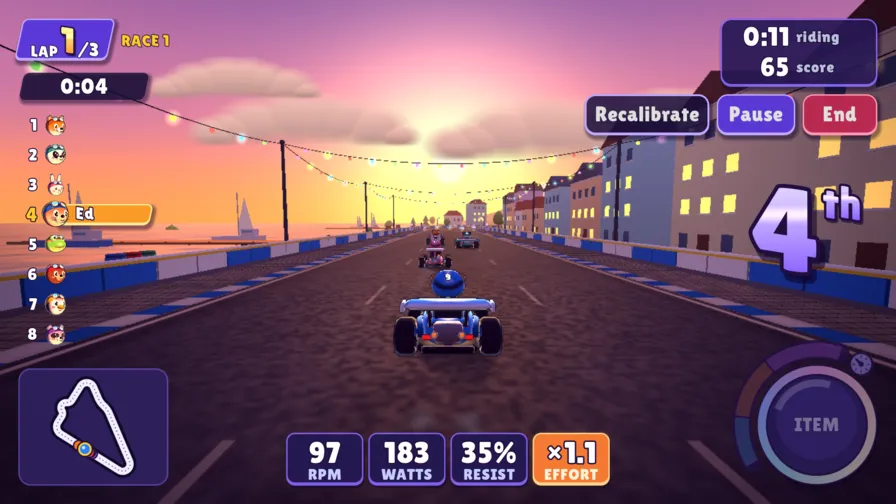
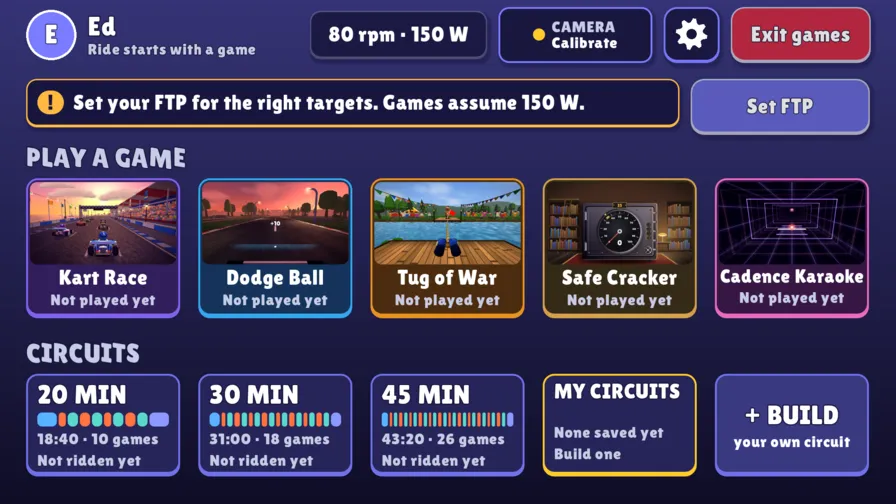
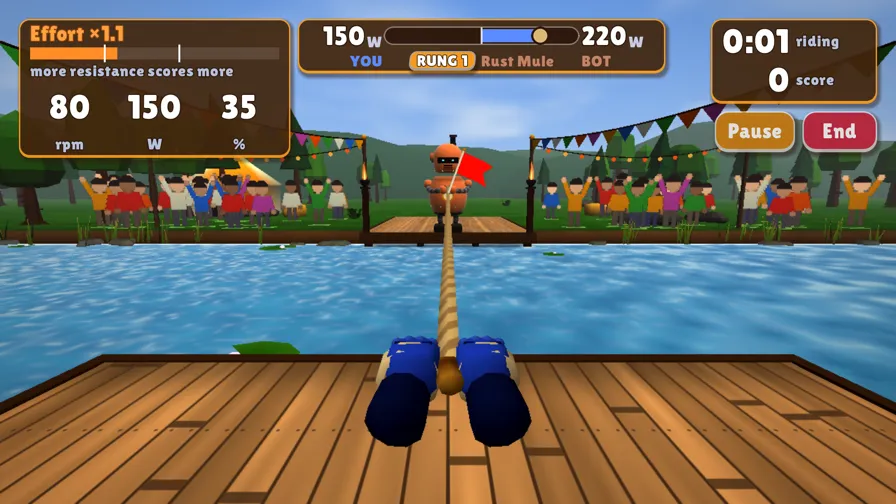
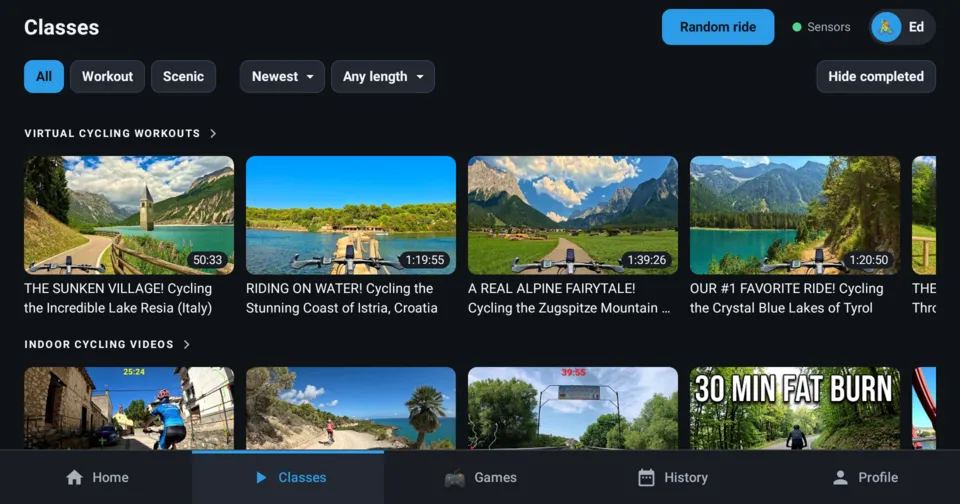
4 Screenshots. Seitwärts scrollen oder wischen.
Über OpenRide
Open-Source-Android-App (Apache-2.0) für das Peloton Bike (Installation über OpenPelo), die kostenlose YouTube-Radkurse mit Live-Werten und Fahrtenverlauf abspielt, dazu Workout-Minispiele und ein Gokart-Rennspiel.
Funktionen
- Workouts
Mehr von OpenRide
- OpenRide 1.2.0
OpenRide 1.2: Seven new mini-games, Import Peloton workout history, Delete a ride, Improvements to video playback, Bug fixes
New in 1.2:
Seven new games: Watt Lane, Balloon Pump, Keepy Uppy, Power Grid, Ready for Launch, The Pull and Gate Crasher.
Fresh circuits: Each part of a circuit now picks from a pool of games that suit it, so the same circuit plays differently every ride. The new games ask for about a third of your FTP to reach their goal; the harder you push the more stars you earn.
Mute Classes: Classes now let you ride to your own music, and a class opened while music is playing starts muted. Classes also ask YouTube for a format the bike plays smoothly, so the picture stays sharp and does not stutter.
History Import: You can now delete a ride from its details screen, and import your past rides from Peloton's workout-history CSV in Profile. Thanks to coyotemojo and Drewmiller1 for the PR.
- OpenRide 1.1.0
OpenRide 1.1: a music player, a home screen setting, and fixes, on top of everything new in 1.0.
New in 1.1:
Music player: see what's playing in your music app, with cover, song, artist and previous, play/pause and next, in the top bar and on the Just Ride screen. Tried with Spotify, Apple Music, Pandora, SiriusXM and Plexamp. Turn it on in Profile, Music. In the games, game music steps aside while yours plays, and a note button opens the player.
Home screen setting: Profile, Device, Home screen, Turn on. No more adb commands (fixes #47, and the home-screen part of #63 on the newer tablet; Peloton's own overlay on newer software is covered in docs/INSTALL.md). Pressing Home no longer opens a second copy of the app.
Heart-rate strap: connects reliably, reconnects when the link drops, and shows your bpm on the ride screens and in the games.
Fixes: bigger readings on the ride screens, form labels that no longer overlap, games that fill the whole screen with no side bars, and one sensor warning everywhere, including when the bike's sensor board goes quiet.
Still new from 1.0: the Games hub (BETA), the Kart Race, better game graphics and sound, a new look for the whole app with tabs along the bottom, and installing from OpenPelo's app catalog.
The camera only looks for where your head is; nothing is recorded. Feedback and pull requests welcome: github.com/digitalducktape/openride/issues
- OpenRide 1.0.0
Introducing OpenRide 1.0!
This update brings a new Kart Race, a games hub for your workouts, better game graphics, music and sounds, and a new look for the whole app.
Key features:
Games hub (BETA): pick games and circuits, build your own circuits, and play as many as you like. The whole session saves as one ride.
New game, Kart Race: 3-lap races against seven rivals on four tracks. Pedal to drive, lean to steer, and add resistance to drift. Grab items along the way and see if you can be first across the line.
Better graphics and sound: every game has a new look, new music and new sound effects, and they load faster too.
A new look for the app: bigger controls, sensor and heart-rate status always in view, and simpler navigation with tabs along the bottom.
Easier to install: you can now install OpenRide straight from OpenPelo's app catalog.
The camera only looks for where your head is; nothing is recorded. Feedback and pull requests welcome: github.com/digitalducktape/openride/issues
- OpenRide 0.5.1
Mini-games (BETA): pedal-powered games that turn interval training into play.
Open the Games tab (or the Games card on Home), pick a game or a circuit, and ride.Games: Dodge Ball (uses the camera), Tug of War, Safe Cracker, Cadence Karaoke.
Circuits string them into 20-, 30- or 45-minute interval workouts.The camera (Dodge Ball only, optional) only looks for your head position. Nothing is recorded.
New in 0.5.1: long release notes no longer push the Update button off-screen, and the Games card no longer collapses on Home while an update banner is showing.
This is a beta. Feedback and pull requests welcome: github.com/digitalducktape/openride/issues
- OpenRide 0.5.0New Games tab with four beta mini-games like Dodge Ball and Tug of War
- OpenRide 0.4.0
Bike+ support
OpenRide now runs on the Peloton Bike+ as well as the Bike Gen 2 — same APK, no separate
build, nothing to configure.The two boards deliver their sensor data over different interfaces, and there's no reliable way
to tell them apart ahead of time. Rather than guess from the model, OpenRide now connects to both
at startup and keeps whichever one actually sends a reading, dropping the other. If a board
accepts the connection but stays quiet, it falls back to reading the sensors directly once a
second, so live metrics still work.Also in this release
- Minimum Android version lowered to 10, for Bike+ tablets (and the Gen 2 units still on older
firmware that can't be updated).
- If the bike's sensors don't respond, the ride screen keeps saying so instead of showing zeros
as though they were real readings.
Gen 2 riders
Nothing changes for you. The Gen 2 sensor path is untouched, and this build was verified on a
Gen 2 tablet before release — live cadence, output and resistance while pedaling, ride history
saved correctly, and no change to your existing data.Updating
Open OpenRide and you'll see the update banner on the Home screen, or go to Profile → App
updates. Download and Install are separate taps; Android's own installer handles the last step.